

This is the first stage of adding a talent. Agents can add details including contacts and attributes. Potential talent means they are not approved. When their application is approved, they can be moved to the Talent section by simple clicks and sync onto the mobile app.
How To Add Potential Talent
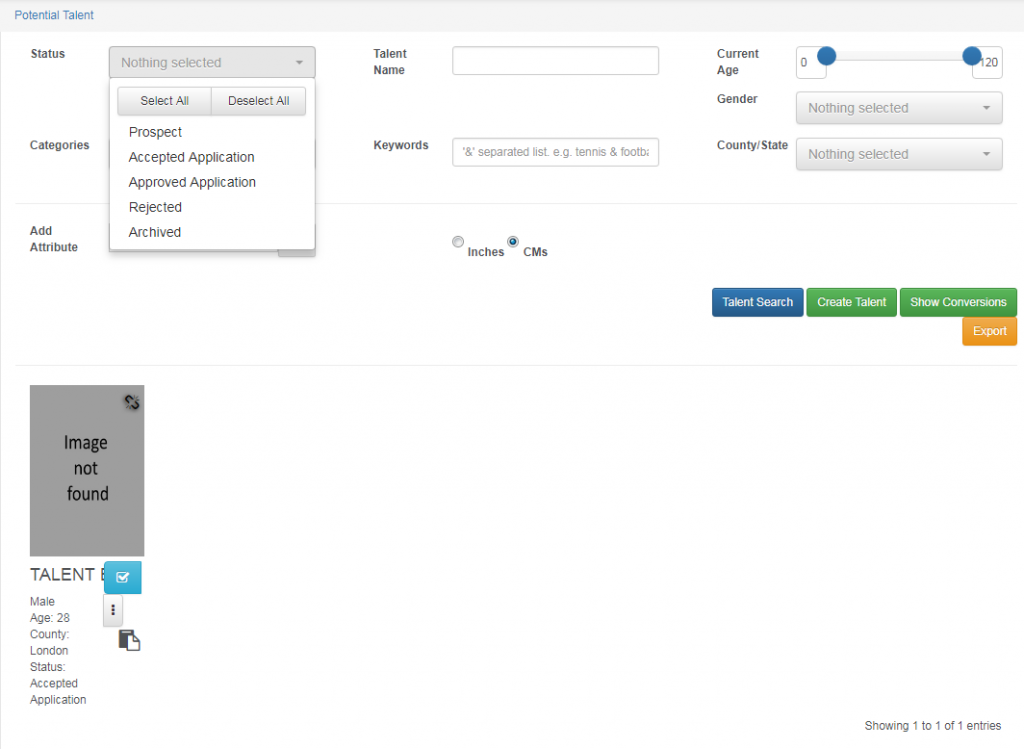
Potential Talent Filtering:
Potential talents lets you add or search potential models. The filtering system on MARS helps you to see prospect, accepted applications, approved applications, rejected and archived. You can search by name, keywords, attributes, current age, gender and location.
Adding Details of Potential Talent:
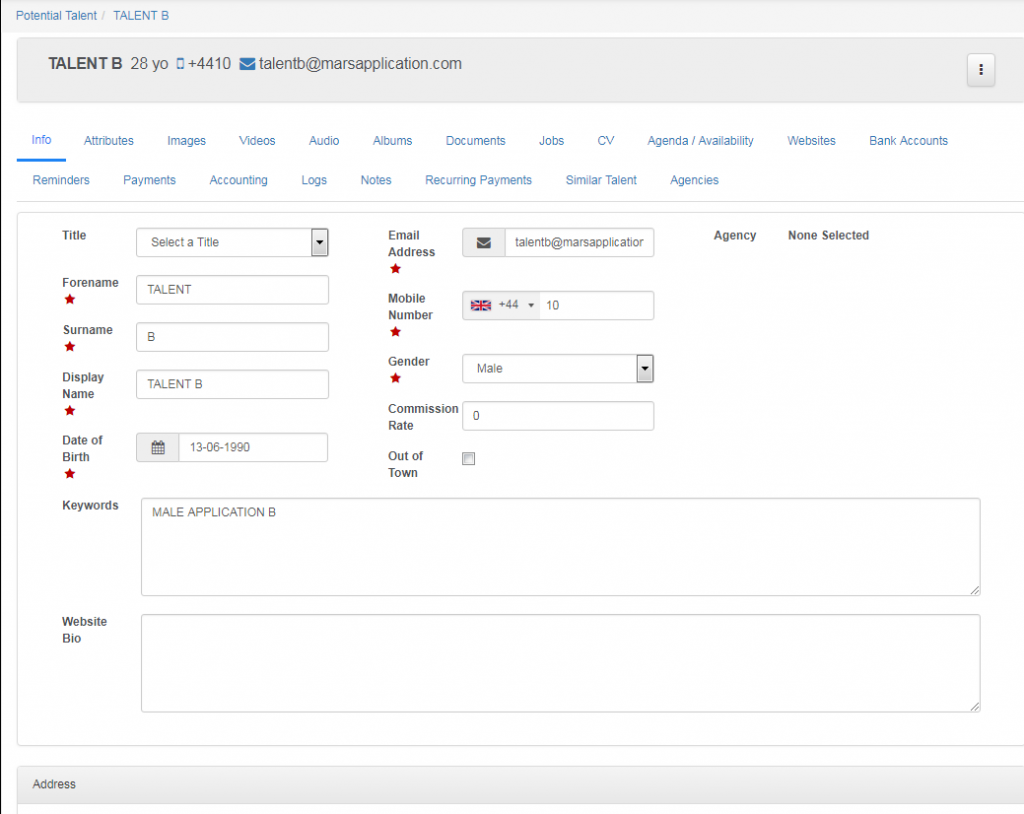
Whether it is prior the meeting, during the meeting or after the meeting, you can add a potential talent details.
The keywords are any details or skills you would like in order for the agents to see and know more about the model. Here you can put their skills such as languages – in the filtering system, an agent can search ‘Spanish’ and the models who speak Spanish will be searched. This depends on HOW you want things to work. Add anything in keywords for your needs.
Adding Attributes:
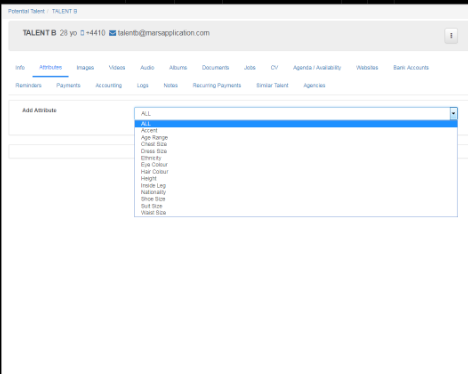
In attributes you can add in all the measurements of the model/talent. This can be altered by your agency’s needs e.g. if you need collar size.
Both CM and Inches are displayed in attributes making it easier for international sizing. MARS also has a conversion chart which shows CM, INCHES and FEET in case you need to convert.
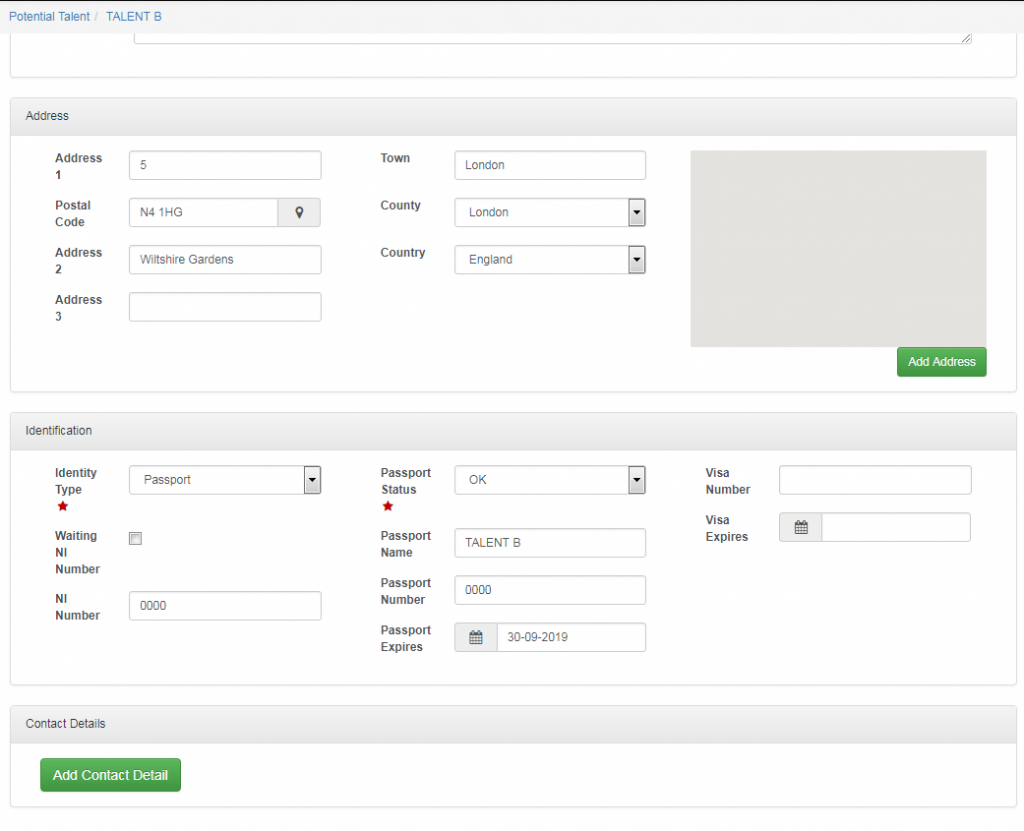
Adding Address and Identification:
Address can be entered and the county will show in the first information of the talent so if you needed to search for someone local you can. All talent and models need to have the rights to work so identification and National Insurance (NI) are important. MARS will only let you move potential talent to talent if you have the passport number written (to remind that you need to have these details and check their rights to work).
Change of Talent Status:
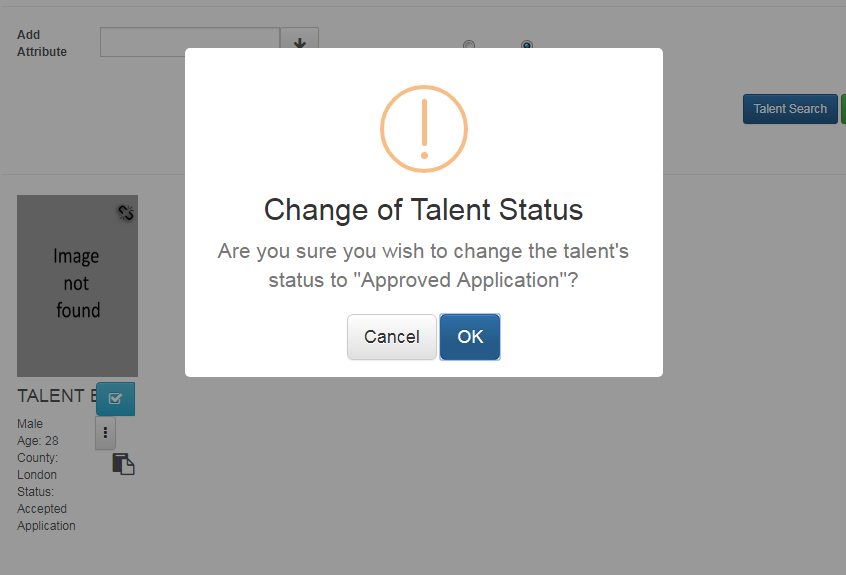
To approve or accept application of a potential talent you need to click on the box with a tick. One click will accept the application, second click will approve application (this will turn green), the third click is to send an automatic email which will tell the model that they have been approved by the agency. Again the automated email can be altered in accordance to the agency’s needs.
Once approved, the talent will disappear from potential and move into Talent.